
If you are a client of My Solo 401k Financial and use Fidelity Investments to hold the solo 401k funds (e.g., pretax and Roth), and want to process an internal conversion of your pretax solo 401k funds to the Roth solo 401k, then please use the forms referenced below. This type of conversion can be accomplished because My Solo 401k Financial not Fidelity Investments is the solo 401k plan provider.
Using the Fidelity Investments Form to Internally Move the Funds
First make sure to open a separate brokerage account at Fidelity Investments to hold Roth solo 401k funds if you have not yet opened one. If you have not yet opened one and need assistance in opening it please email us at [email protected] so that we can assist. To move funds from your pretax solo 401k Fidelity brokerage account (non-prototype) into your Roth solo 401k Fidelity brokerage account, complete the Fidelity form titled “One-Time Withdrawal Investment Only Retirement Account.”
CLICK HERE to download the form.
How to Complete Fidelity Investments Form
Under Section 1-Plan and Trust Information
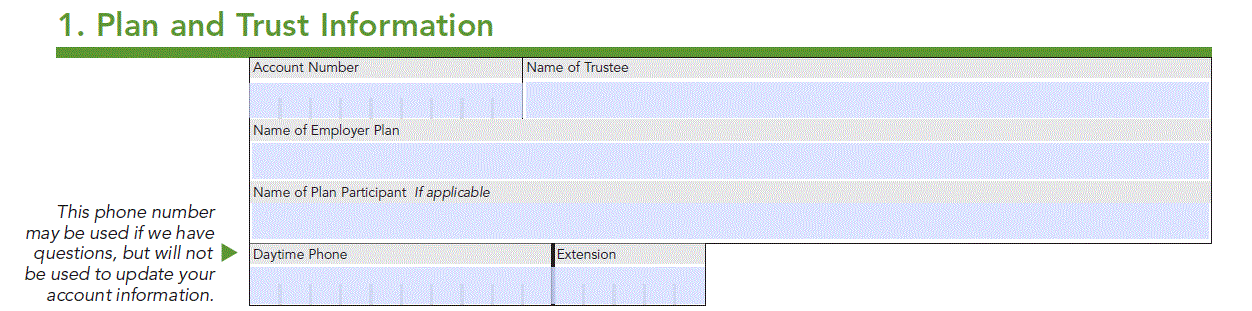
Account Number: Enter your solo 401k pretax Fidelity brokerage account number.
Name of Trustee: Enter your name.
Name of Employer Plan: Enter the name of your solo 401k plan.
Name of Plan Participant: Enter your name.
Daytime Phone: Enter your phone number.
Under Section 2-Distribution Instructions
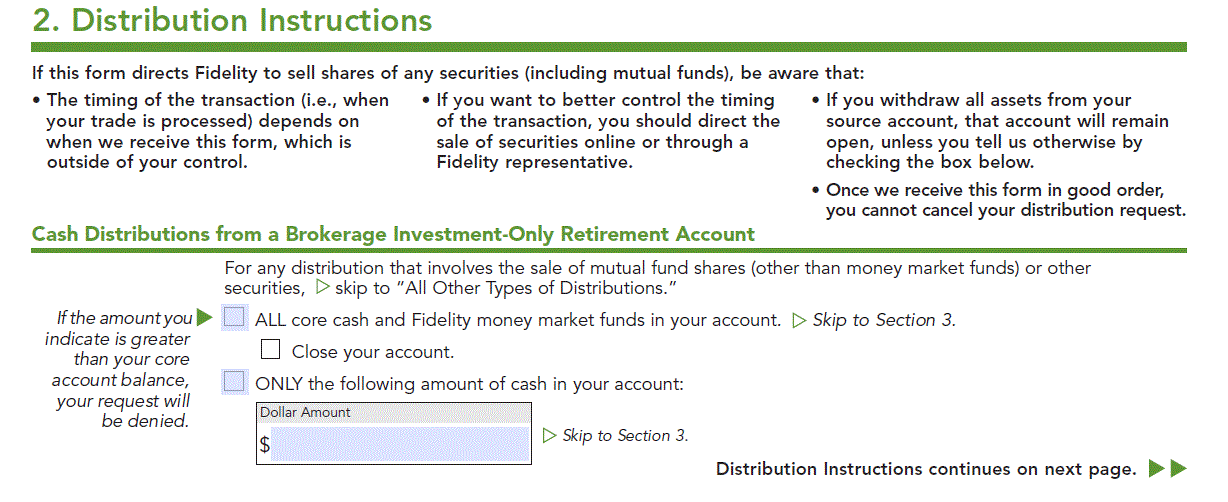
Select “only the following amount of cash in your account” and enter the dollar amount of pretax solo 401k funds that you wish to convert to the Roth solo 401k.
Under Section 3-Distribution Method
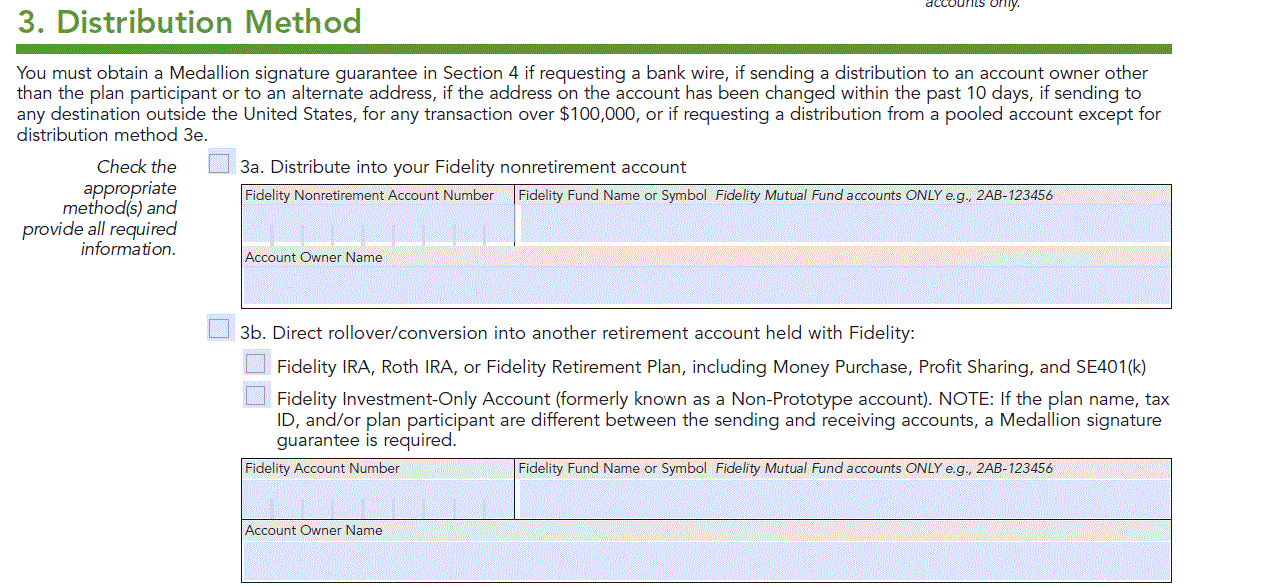
Choose 3b “Direct rollover/conversion into another retirement account held with Fidelity.”
Select the 2nd box titled “Fidelity Investment-Only Account (formerly known as a Non-Prototype account)…”
Fidelity Account Number: Enter your Roth solo 401k Fidelity brokerage account number.
Account Owner Name: Enter your name since you are the owner of the solo 401k.
Under Section 4-Signature and Date
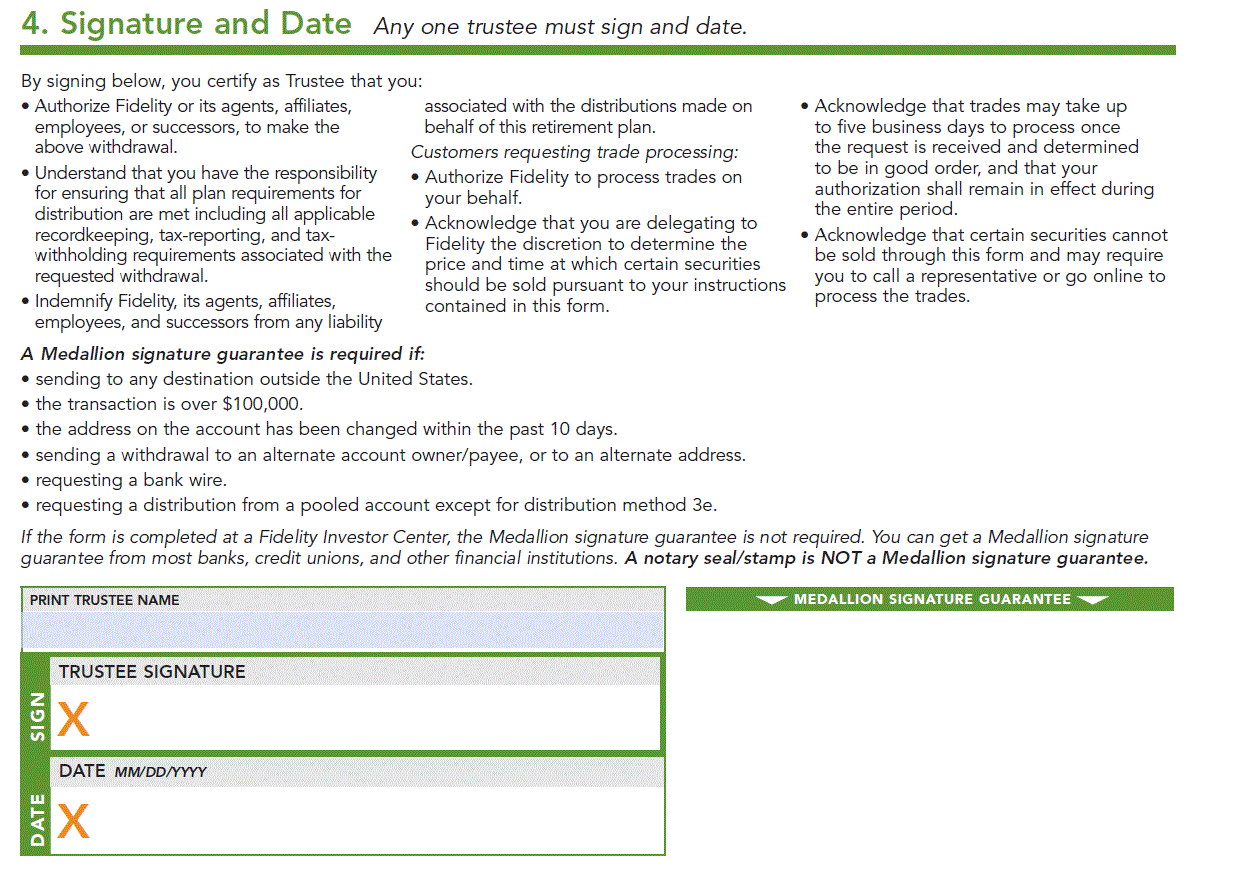
Print Trustee Name: Enter your name.
Trustee Signature: Sign your legal name.
Date: Enter today’s date.
Submitting the Completed Form to Fidelity Investments
- Take it to a Fidelity Investor Center; or
- Mail the completed Form to Fidelity; or
- Upload it using the Fidelity message center once you login to your Fidelity account.

Our On-Line Conversion Form
After you have Fidelity Investments internally convert the solo 401k pretax funds to the Roth solo 401k, the next step is to log the conversion our website using the following link: https://www.mysolo401k.net/pretax-to-roth-solo-401k-in-plan-conversion-form/
We, (not Fidelity) will then issue the Form 1099-R by February of 2027 to report the 2026 pretax solo 401k conversion to the Roth solo 401k.